
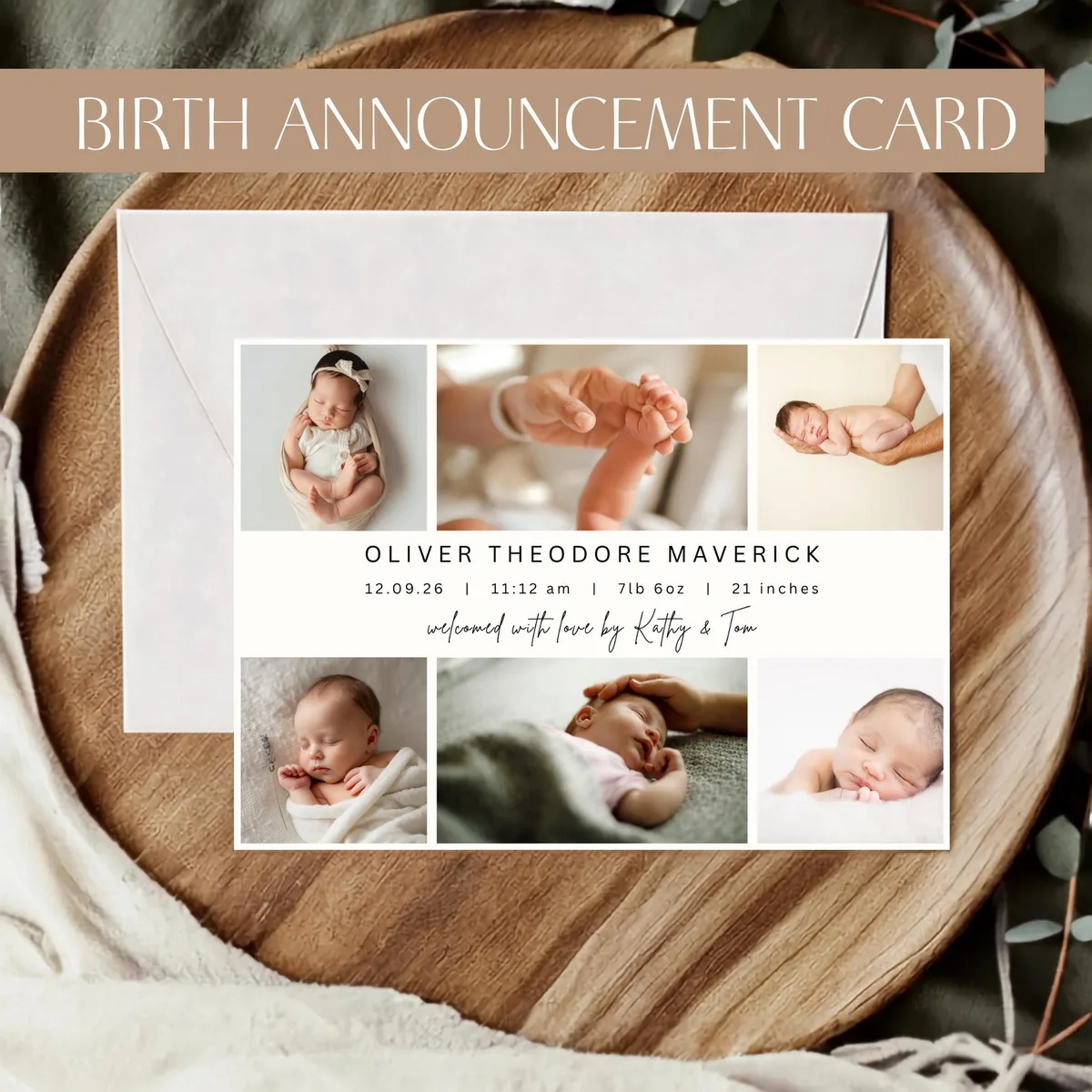
After weeks or months of anticipation, your baby is here. The first hours are a blur of skin-to-skin contact, exhausted tears, and an overwhelming surge of love you weren't quite prepared for.
At some point (maybe day two, maybe week two) you'll want to share the news properly. Not just a quick WhatsApp message, but something that marks the moment. A birth announcement.
Here's everything you need to know about doing it in a way that feels genuinely you.
What to include on a birth announcement
The basics:
- Baby's full name: the moment you've been keeping secret (or maybe you shared it, that's fine too)
- Date of birth
- Time of birth (optional, but people love this detail)
- Weight (optional, but classic)
- A photo: the most important thing. Everything else is secondary.
- Height / length at birth
- A short message or quote from the parents
- Siblings' names, especially if this is your second or third
- Parents' names, especially for formal printed announcements
Keep it readable. A beautiful photo with the baby's name, date, and weight is more than enough. You don't need to include everything.
When to send birth announcements
There's no single right answer, but a few useful guidelines.
Within the first two weeks feels timely and personal. For close family, sooner.
By four weeks is still completely normal, especially if you're recovering from a c-section, if the baby spent time in the NICU, or if you're just trying to survive the newborn fog. No one will judge you for a four-week announcement.
After six weeks is fine too, but it can feel like you've moved on to the next thing. If you're sending printed cards, the sooner the better.
Digital or printed: which is better?
Both have their place. The choice usually comes down to your guest list, not your preference.
- Instant delivery, no printing or postage costs
- Works well for a wide or dispersed network of friends and colleagues
- Easy to forward and share
- More informal by nature
- Feel more special and permanent, many people keep them
- Better for grandparents and older relatives who prefer something physical
- Work well as a keepsake or for the baby book
- Take more time and cost more, but feel more meaningful
Most families do a quick digital share for the immediate circle, then send printed cards for grandparents, aunts, uncles, and close friends. There's no reason to choose just one.
Choosing a photo
The photo is everything on a birth announcement. A few things that help.
Natural light makes the biggest difference. Hospital rooms are often harshly lit; if you can, move near a window. The difference is dramatic.
Simple is better. A baby alone, or a close-up of tiny hands, ages beautifully. A wide shot of a busy hospital room with people and equipment visible doesn't.
Black and white works beautifully for birth announcements. It's timeless, and it hides any redness or uneven skin tones that are completely normal in the first hours and days.
The first photo isn't always the best one. Don't pressure yourself to capture the perfect shot in the delivery room. Some of the best birth announcement photos are taken at home in the first week or two, in soft morning light, with the baby in a simple white onesie.
Birth announcement wording examples
Classic:
> We are overjoyed to announce the arrival of
> Emma Rose
> Born 12 March 2026 · 7 lbs 4 oz
> With all our love, Sara & Tom
Personal:
> She's here.
> Luna Sofia
> 18 March 2026 · 3:47 am · 3.2 kg
> We're completely in love.
For a second child:
> The wait is over!
> James is finally here, and his big sister Emma is not sure what to think.
> Born 5 April 2026 · 8 lbs 1 oz
Minimalist:
> Oliver
> 22 February 2026
The tone should match who you are. If you're funny in real life, let a little of that through. If you're sentimental, be sentimental. Generic wording on a beautiful template still feels generic.
Design tips for a beautiful announcement
If you're using an editable Canva template, a few things make the difference between "nice" and "really beautiful."
Less text is usually better. Most templates have space for more information than you need. Don't feel like you have to fill every field.
Match the font style to your photo. A script or serif font pairs beautifully with a soft, warm photo. A clean sans-serif works better with a high-contrast black and white shot.
Don't change too many things. The designer made choices about color, spacing, and typography that work together. If you find yourself adjusting eight things, you might be fighting the template rather than using it. Stick to the text and, if you like, the accent color.
Preview before you download. Zoom out in Canva and look at the whole thing. If anything feels cramped or off, it probably is.
Ready-made birth announcement templates
All of Moments by Maggie's birth announcement templates are fully editable in Canva. Add your baby's details, swap in your photo, and download in minutes with a free Canva account.
Browse the [Birth Announcement collection](/en/birth) to find a design that matches the moment.